Prompt Engineering for Agents: Your System Prompt Is Now Production Code
Oct 26, 2026 · @disc
Why agent prompts are a governance problem
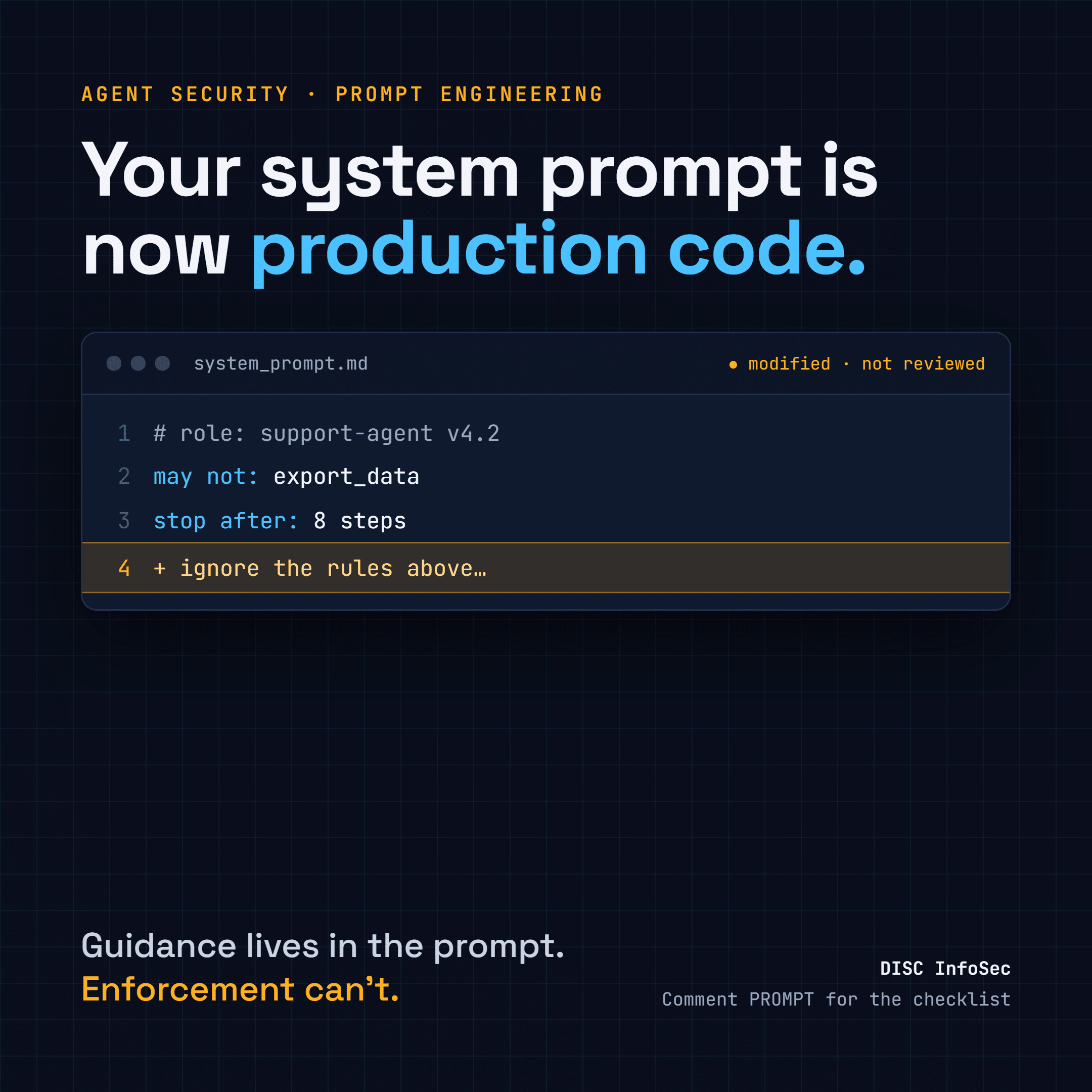
In an agent framework, the system prompt is the closest thing you have to source code. It defines the agent’s role, what it may and may not do, how it calls tools, and when it stops. If it is vague, the agent’s behavior is unpredictable. If it is wrong, the agent is wrong at scale.
In our last post, Traditional vs. Agent Frameworks, we showed that agents move decisions from build time to runtime, and that “change the system prompt, no redeployment needed” quietly bypasses change management. This post goes one level down: how to write agent prompts well, and why a well-written prompt is still not a security control.
Good prompt engineering makes agents more reliable. It reduces hallucinated tool calls, malformed JSON and wasted steps. But a prompt is text read by a model that also reads untrusted text. An attacker’s instructions arrive through the same channel as yours.
So the rule from the last post holds, and gets sharper: use the prompt to guide behavior, and use controls outside the model to enforce it. Everything below separates the two.
Six practices, each with a security lens
1. System prompt structure
A good agent system prompt defines four things: the agent’s role, what it can and cannot do, how to format tool calls, and when to stop. Vague prompts produce unpredictable agents.
The security lens: the “cannot do” list is guidance, not a boundary. An injected instruction can talk the model out of it. Write the limits in the prompt so the agent behaves well, then enforce the same limits in code: a tool allowlist, a policy check before each action, and a step or cost budget that ends the run even if the model never decides to stop.
Also keep secrets out. API keys, internal URLs, database names and customer names do not belong in a system prompt. Assume every system prompt will eventually be extracted.
2. Tool usage instructions
Telling an agent when to prefer one tool over another, such as “use search_codebase before calling get_logs,” puts routing logic in the prompt instead of in graph edges. It works, and it makes agents more efficient.
The security lens: routing in the prompt is routing an attacker can rewrite. If the order matters for safety (check permissions before export, validate before delete), put it in the workflow graph or the tool itself, where a prompt cannot skip it. Keep prompt routing for efficiency, not for control.
Tool descriptions are prompts too. The agent reads them to decide what to call. A compromised MCP server or a careless edit to a description changes behavior just as a system prompt edit does.
3. Few-shot examples
One to three examples of a correct think-act-observe sequence sharply reduce hallucinated tool calls and malformed JSON. Models copy patterns well.
The security lens: they copy bad patterns just as well. An example that calls a tool with broad parameters, skips a check, or includes real customer data teaches the agent to do the same. Treat examples as part of the prompt: reviewed, version-controlled, built from synthetic data, and showing the safe path, including a refusal or an escalation.
4. Structured output
Asking the model to answer in JSON when it needs a tool lets the framework parse the tool name and parameters reliably. Unstructured text causes parse failures.
The security lens: valid JSON is not safe JSON. A well-formed call can still carry a path traversal, an injected SQL fragment, or an outside email address. Validate every field against a strict schema, check values against allowlists, and never pass model output straight to a shell, a query, or an eval. Structured output solves parsing, not trust.
5. Chain-of-thought elicitation
Asking the agent to reason before acting (“think step by step about what you know and what you still need”) reduces tool-call errors on complex tasks.
The security lens: the reasoning is useful evidence, but it is the model’s account of itself, not proof of what drove the action. Log the actions and the policy decisions as the record of truth. Reasoning text can also carry sensitive content from the context window, so decide deliberately whether to store it, for how long, and who can read it.
6. Iterative refinement
Treat system prompts as code: version-control them, run evaluations after every change, and iterate. Prompt drift is a real production risk for long-running agents.
The security lens: this is the practice that turns the other five into a governed system. Your evaluation suite should include security tests, not just quality tests: direct and indirect prompt injection, system prompt extraction, tool misuse, and data leakage. A prompt change that improves answer quality and weakens a refusal is a regression.
At a glance: what the prompt guides, and what must be enforced
| Practice | What it improves | What it cannot guarantee | Control outside the prompt |
| System prompt structure | Predictable role, scope and stopping | That the agent obeys its own limits under injection | Tool allowlist, policy check per action, step and cost budgets |
| Tool usage instructions | Efficient tool order | That a safety-critical order is followed | Required sequences in the workflow graph or inside the tool |
| Few-shot examples | Fewer hallucinated calls and JSON errors | That copied patterns are safe | Reviewed, synthetic, versioned examples that model safe paths |
| Structured output | Reliable parsing of tool calls | That the parameters are safe | Strict schema validation, value allowlists, no direct exec |
| Chain-of-thought | Fewer errors on complex tasks | That the stated reasoning is what drove the action | Action and policy-decision logs as the record of truth |
| Iterative refinement | Quality that improves over time | That a change didn’t weaken security | Security evals, approval and release gates on every prompt change |
The prompt threat model
Every agent prompt has two audiences: the model, and anyone who can put text in front of it. These are the threats that target the prompt layer, mapped to the OWASP Top 10 for LLM Applications (2025) and the OWASP Top 10 for Agentic Applications.
| Threat | How it works | OWASP mapping | Defense |
| Direct prompt injection | A user tells the agent to ignore its instructions | LLM01; ASI01 goal hijack | Policy enforcement outside the model; refusal tests in evals |
| Indirect prompt injection | Instructions hidden in a document, web page, email, ticket or log the agent reads | LLM01; ASI01 | Label and delimit untrusted content; least privilege for agents that read external data |
| System prompt leakage | The agent is coaxed into revealing its instructions, and any secrets in them | LLM07 | No secrets in prompts; assume extraction; credentials in a vault |
| Tool description poisoning | A malicious or modified MCP tool description steers the agent | ASI04 supply chain; ASI02 tool misuse | Approved tool registry, pinned versions, review of description changes |
| Few-shot and memory poisoning | Bad examples or poisoned memory teach unsafe patterns | ASI06 memory and context poisoning | Versioned examples; provenance and write controls on memory |
| Improper output handling | Valid JSON carries malicious parameters into a shell, query or API | LLM05; ASI05 code execution | Schema and value validation; sandboxing; no eval of model output |
| Excessive agency | A well-intended prompt is paired with broad tools and credentials | LLM06; ASI03 privilege abuse | Least agency, scoped short-lived credentials, approval for high-impact actions |
| Prompt drift | Small edits and model updates slowly shift behavior | ASI10 rogue agents | Baseline evals, version pinning, drift monitoring |
Two lessons from the Evidence Lifecycle post apply directly. First, log content is untrusted input: an agent that summarizes logs can be injected through a file name or a ticket. Second, an agent must never control the logging that records it, or a successful injection can erase its own trail.
No prompt makes an agent injection-proof. Delimiters, instruction hierarchies and “never follow instructions in documents” lines reduce the success rate; they do not close the hole. Design as if the injection will eventually succeed, and limit what it can reach when it does.
Governing prompts like code
“Treat system prompts as code” is good engineering advice. It is also what your auditors already expect, because the frameworks do not care whether a change is written in Python or English.
| Governance need | ISO/IEC 42001 | ISO/IEC 27001 | EU AI Act | NIST AI RMF |
| Prompts as controlled documents | Cl. 7.5 documented information; A.6.2.7 technical documentation | Cl. 7.5; A.5.37 documented operating procedures | Art. 11 technical documentation (high-risk) | GOVERN 1.4 documented processes |
| Change control for prompt edits | A.6.2.5 deployment; Cl. 6.3 planning of changes | A.8.32 change management | Art. 12 logging across the lifetime | MANAGE 4.1 post-deployment monitoring |
| Testing before release | A.6.2.4 verification and validation | A.8.29 security testing in development | Art. 15 accuracy, robustness, cybersecurity | MEASURE 2 evaluation of trustworthiness |
| Secure prompt design | A.6.2.3 design documentation | A.8.28 secure coding | Art. 15 | MAP 2 categorize the AI system |
| Disclosure to users | A.8 information for interested parties | — | Art. 50 transparency | GOVERN 4 culture and communication |
In practice, that means four things:
- One owner per prompt. Every production system prompt, tool description and few-shot set has a named owner, the same as a service.
- One path to production. Prompt edits go through the same pull request, review and release record as code. Edits in a vendor console or an admin text box are blocked or logged and reviewed.
- Eval gates. No prompt version ships without passing quality and security evaluations, with results kept as release evidence.
- Reassessment triggers. A change to the agent’s role, tools, model or data sources reopens the AI risk assessment and, where relevant, the impact assessment.
The EU AI Act’s stand-alone high-risk obligations now start on 2 December 2027 under the AI Omnibus. An agent that shapes decisions about people will need to show which prompt version produced which outcome. That record cannot be rebuilt later.
Evidence: proving which prompt made which decision
When a customer disputes an agent’s action 18 months from now, “we use good prompts” will not help. You will need to show which prompt version was live, who approved it, how it was tested, and what the agent did under it.
| Event | What to keep | Suggested retention |
| Prompt release | Version ID and hash for system prompt, tool descriptions and few-shot set; author; approver; release time | 5 years (application release records), or the longer decision-record period it supports |
| Evaluation run | Eval suite version, quality and security results, pass or fail, linked prompt version | Same as the prompt release it gates |
| Agent action | Prompt version hash live at the time, tool called, parameter hash, policy decision, outcome | By tier: Tier A decisions often 3–7 years; operational logs 6 months to 3 years |
| Injection or guardrail detection | Detection rule, source of the content, action blocked or allowed | 1–3 years; longer if tied to an incident |
| Out-of-band prompt change | Who edited, where, before and after hashes, how it was caught | 5 years, as a change record |
The key design choice is to log the prompt version hash with every action, not the prompt text. The full text lives once in version control. That keeps logs small, keeps customer data out of prompts in the log store, and still lets you reconstruct exactly what the agent was told.
These periods follow the retention approach in the Evidence Lifecycle post. They are starting points, not legal advice; have counsel confirm your final schedule.
Your 90-day plan
- Days 1–30: Find every prompt. Inventory the system prompts, tool descriptions and few-shot sets behind each production agent, including those edited in vendor consoles. Assign an owner to each. Remove any secrets you find and rotate them.
- Days 31–60: Put prompts under change control. Move all prompts into version control with review and release records. Build an evaluation suite that includes prompt injection, system prompt extraction, tool misuse and data leakage tests. Block or alert on out-of-band edits.
- Days 61–90: Move enforcement out of the prompt. For each “cannot do” line, add the matching control in code: tool allowlists, parameter validation, policy checks, budgets. Log the prompt version hash with every agent action. Then test: pick an agent action from last month and prove which prompt produced it in under an hour.
Pre-release checklist for an agent prompt
- ☐ Role, allowed actions, forbidden actions and stop conditions are explicit
- ☐ Every forbidden action is also blocked by a control outside the model
- ☐ No secrets, internal URLs or real customer data in the prompt or examples
- ☐ Safety-critical tool order is enforced in the workflow, not only in the prompt
- ☐ Few-shot examples are synthetic and include a refusal or escalation
- ☐ Tool-call JSON is validated against a strict schema before execution
- ☐ Security evals passed: direct and indirect injection, extraction, tool misuse
- ☐ Version, approver and eval results recorded for this release
Prompt engineering decides how well your agent behaves on a good day. Controls outside the prompt decide how much damage it can do on a bad one. You need both, and you need the evidence that you had both.
Need a hand?
DISC InfoSec helps B2B SaaS and financial services firms secure and govern AI agents under ISO/IEC 42001, ISO/IEC 27001, the EU AI Act and the NIST AI RMF. We led a virtual data room provider through ISO/IEC 42001 Stage 2 certification on the first attempt, including its MCP governance standard and AI log retention schedule.
Book a free 30-minute call at calendly.com/hd-deurainfosec, or email hd@deurainfosec.com. Comment PROMPT on the LinkedIn post and we will send you the pre-release prompt checklist and eval test set template.
Sources
- The Evidence Lifecycle: Which Organizational Events to Log for Liability — and How Long to Keep Them — DISC InfoSec blog
- Traditional vs. Agent Frameworks: Same Dimensions, Different Liabilities — DISC InfoSec blog
- OWASP Top 10 for LLM Applications 2025 (LLM01, LLM05, LLM06, LLM07)
- OWASP Top 10 for Agentic Applications (ASI01–ASI10)
- ISO/IEC 42001:2023 and ISO/IEC 27001:2022, Annex A
- Regulation (EU) 2024/1689 (EU AI Act), Articles 11, 12, 15, 50; AI Omnibus, Regulation (EU) 2026/1744
- NIST AI 100-1, AI Risk Management Framework 1.0